
Use cases
AI Backyard Design
Create Beautiful Backyard & Outdoor Visualizations Instantly.
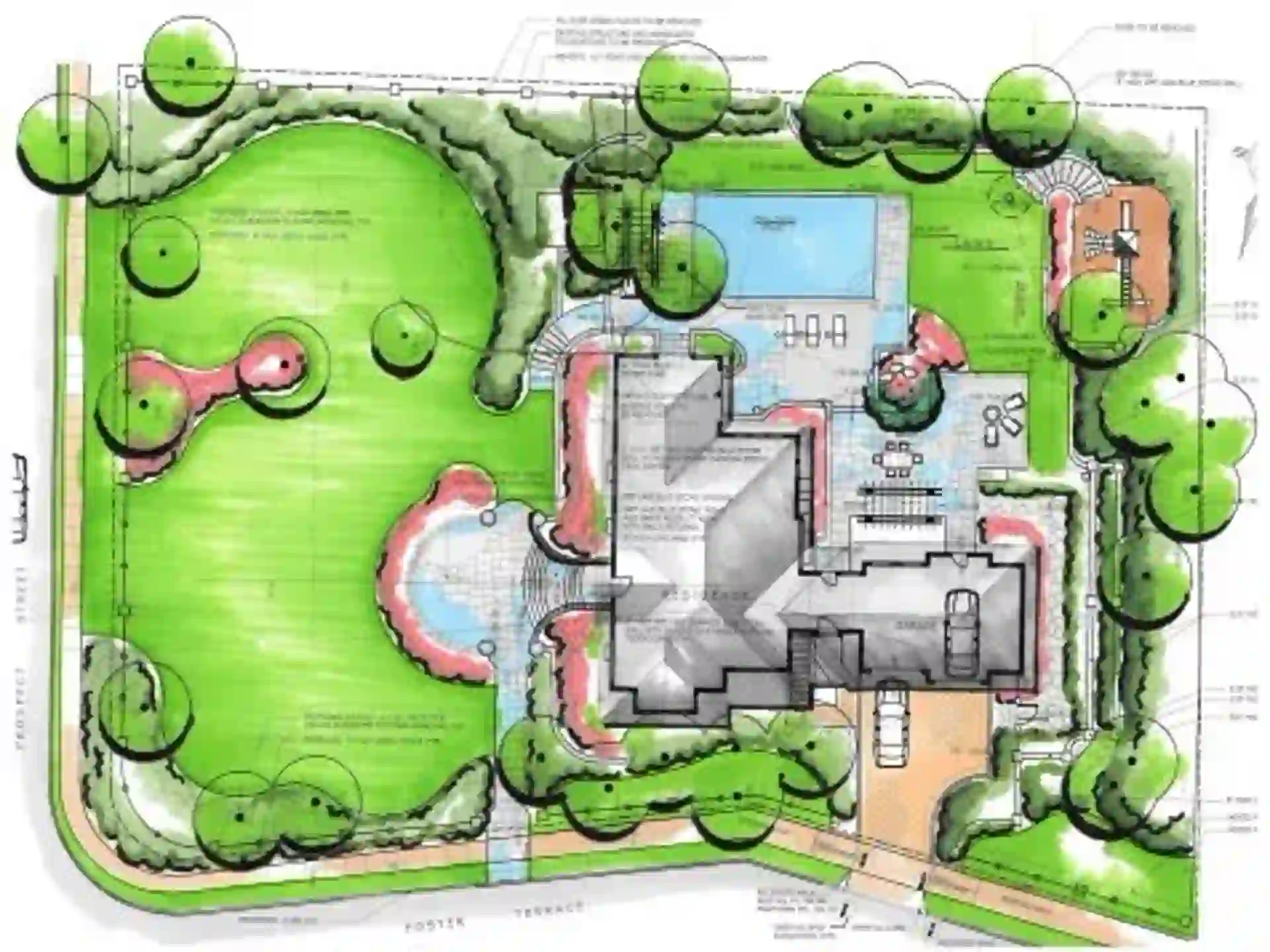
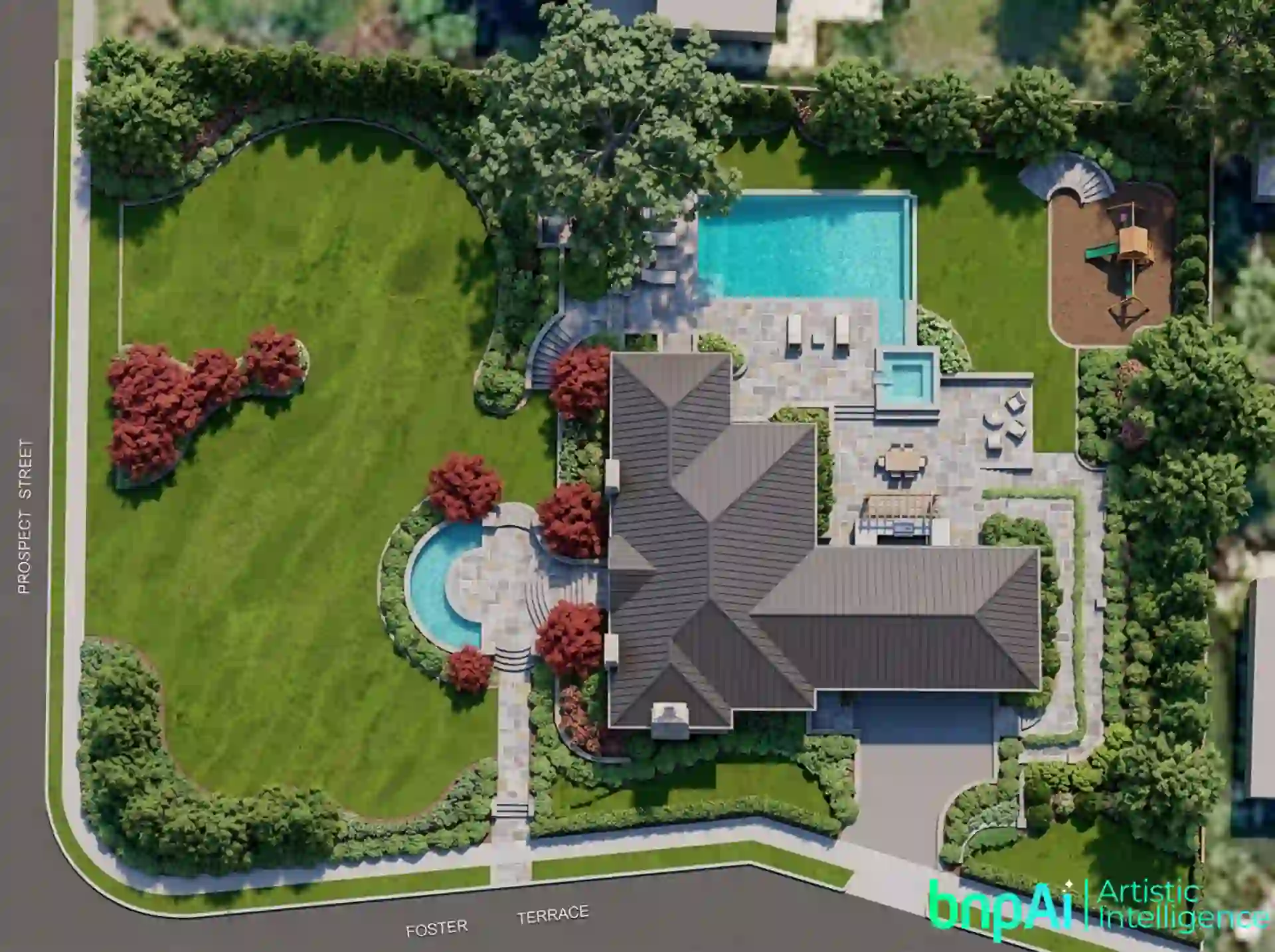
Created by Designer @Sajal Kapoor
AI Backyard Design Generator for Better Outdoor Spaces
A backyard can be more than an open area behind your home. With the right layout, it can become a comfortable place for relaxing, entertaining, dining, gardening or spending time with family.
An AI Backyard Design Generator helps you explore these possibilities visually. Start with a photo of your existing backyard and experiment with different layouts, landscaping, patios, furniture, lighting and outdoor features before making real changes.
Whether you are planning a small backyard refresh or a complete outdoor makeover, AI can help you see what the space could become.

What Is an AI Backyard Design Generator?
An AI backyard design generator uses artificial intelligence to create or transform outdoor design concepts from an existing image or other visual input.
Instead of imagining how a patio, lawn, seating area or planting scheme might look, you can explore different ideas directly on your outdoor space.
You can visualize:
- Patios and outdoor seating
- Lawns and planting areas
- Walkways and pathways
- Fire pits and entertainment areas
- Pergolas and outdoor structures
- Poolside spaces
- Privacy planting and fencing
- Outdoor lighting
- Furniture and décor
- Different landscape styles
The goal is to create a backyard that looks good while also making better use of the space.
Design Your Backyard From a Photo
A clear photo gives AI a useful starting point for understanding the existing outdoor space.
You can use a photo of your lawn, patio, garden area or entire backyard and explore different design directions without changing the physical space first.
For better results, use an image that clearly shows the main area you want to redesign. Keep existing boundaries, buildings, trees and other important features visible whenever possible.
If you are starting from an architectural plan rather than a photo, you can also explore the Floorplan to Render workflow to visualize spaces from floor plans.
Create a Backyard That Fits Your Lifestyle
The best backyard design depends on how you actually want to use the space.
Outdoor LivingCreate comfortable areas for relaxing, dining, reading or spending time outdoors with family and friends.Entertaining SpacesExplore patios, outdoor dining, seating arrangements, lighting and fire features designed around gatherings and social activities.Family BackyardsVisualize open lawns, flexible seating and practical outdoor areas that can accommodate different family activities.Private RetreatsUse planting, screens, fencing and thoughtful layouts to create a quieter and more private outdoor environment.Poolside SpacesExplore poolside seating, planting, pathways, lighting and surrounding outdoor areas to create a more complete backyard experience.Explore Different Backyard Styles
The same backyard can feel completely different depending on its design direction.
Modern BackyardClean lines, structured planting, simple paving and contemporary outdoor furniture create a polished look.Minimalist BackyardFocus on open space, simple materials, restrained planting and a clutter-free layout.Tropical BackyardExplore lush greenery, layered planting, natural textures and relaxed outdoor seating.Mediterranean BackyardUse warm materials, stone surfaces, structured planting and comfortable outdoor areas for a relaxed atmosphere.Natural BackyardCreate a softer landscape with greenery, natural pathways, informal planting and organic materials.How to Design a Backyard With AI
A simple process can take you from an existing yard to a clearer design direction.
Upload a clear photo showing the area you want to redesign.
Think about what matters most—relaxing, entertaining, dining, family activities, gardening, privacy or a combination of these.
Explore a preferred style and consider materials, planting, furniture, lighting and other features.
Try different combinations of patios, lawns, pathways, seating and landscaping instead of committing to the first idea.
Use the strongest visual direction as a reference for further planning, discussion or detailed landscape design.
Photo-based AI landscape workflows commonly follow this kind of upload → design direction → generate/refine process.
What Can You Add to a Backyard Design?
A backyard makeover is rarely about one feature. The best results usually come from how different elements work together.
You can explore:
- Patios: Create areas for outdoor dining, seating and relaxation.
- Pathways: Connect different parts of the backyard with practical and visually appealing routes.
- Fire Pits: Design a dedicated area for evening gatherings and outdoor relaxation.
- Pergolas: Add shade and structure to seating or dining spaces.
- Planting: Introduce trees, shrubs, flower beds and greenery around key areas.
- Lighting: Explore subtle pathway, garden, patio and accent lighting.
- Privacy: Use planting, screens or fencing to make the space feel more secluded.
- Pools: Visualize landscaping, seating and circulation around pool areas.
Modern AI landscape tools also expose controls around hardscape, outdoor furniture, vegetation, water features and lighting, showing how broad backyard visualization can be when the focus goes beyond plants alone.
Why Use AI for Backyard Design?
Planning an outdoor space often involves many decisions at once. AI can make those decisions easier to visualize before you invest time or money in the physical changes.
See the Potential of Your Existing SpaceInstead of starting from a blank plan, explore how your actual backyard could look with a different layout or style.Compare Ideas Before You BuildTry several directions for patios, planting, seating, pathways and other features before choosing one.Make Better Use of Available SpaceVisual exploration can help you think about how different areas could work together rather than treating the backyard as one open space.Make Your Ideas Easier to ExplainA realistic visual can make it easier to discuss your ideas with family members, designers, landscapers or contractors.Explore More Without Starting OverChanging a style, material or outdoor feature can give you a new direction without rebuilding the entire concept manually.How to Get Better AI Backyard Designs
Start with a clear photo that shows the backyard from a useful angle. If possible, include the house, boundaries and major existing features.
Be specific about what you want to change. Instead of simply asking for a “beautiful backyard,” describe the experience you want—such as a modern patio for entertaining, a private garden retreat or a family-friendly lawn with comfortable seating.
It is also useful to distinguish between elements you want to keep and those you want to change.
If your backyard concept is connected to the architecture of the building, you can also explore the Exterior Design workflow to develop the building and outdoor visual direction together.
AI Backyard Design vs Traditional Planning
| AI Backyard Design | Traditional Landscape Planning |
|---|---|
| Quickly explore visual concepts | More detailed site planning |
| Easy to compare different styles | Greater technical control |
| Useful for early design ideas | Suitable for detailed implementation |
| Works well for visual inspiration | Requires measurements and documentation |
| Helps communicate design direction | Supports construction decisions |
AI-generated images are best treated as visual design references, not construction-ready landscape plans. Important factors such as drainage, grading, irrigation, structural work, local conditions and plant suitability should be reviewed separately before implementation.
Who Can Use an AI Backyard Design Tool?
An AI backyard design generator can be useful for:
- Homeowners
- Landscape designers
- Architects
- Exterior designers
- Real estate professionals
- Property developers
- DIY home-improvement enthusiasts
- Design students
It can be particularly helpful when you know your backyard needs improvement but are still deciding what kind of space you want to create.
Visualize Your Backyard With AI
Turn your existing backyard into a visual design concept and explore patios, landscaping, outdoor living, lighting, planting and different styles before making real-world changes.