
Use cases
AI Exterior Design
Create Realistic Building & Facade Visualizations Instantly.
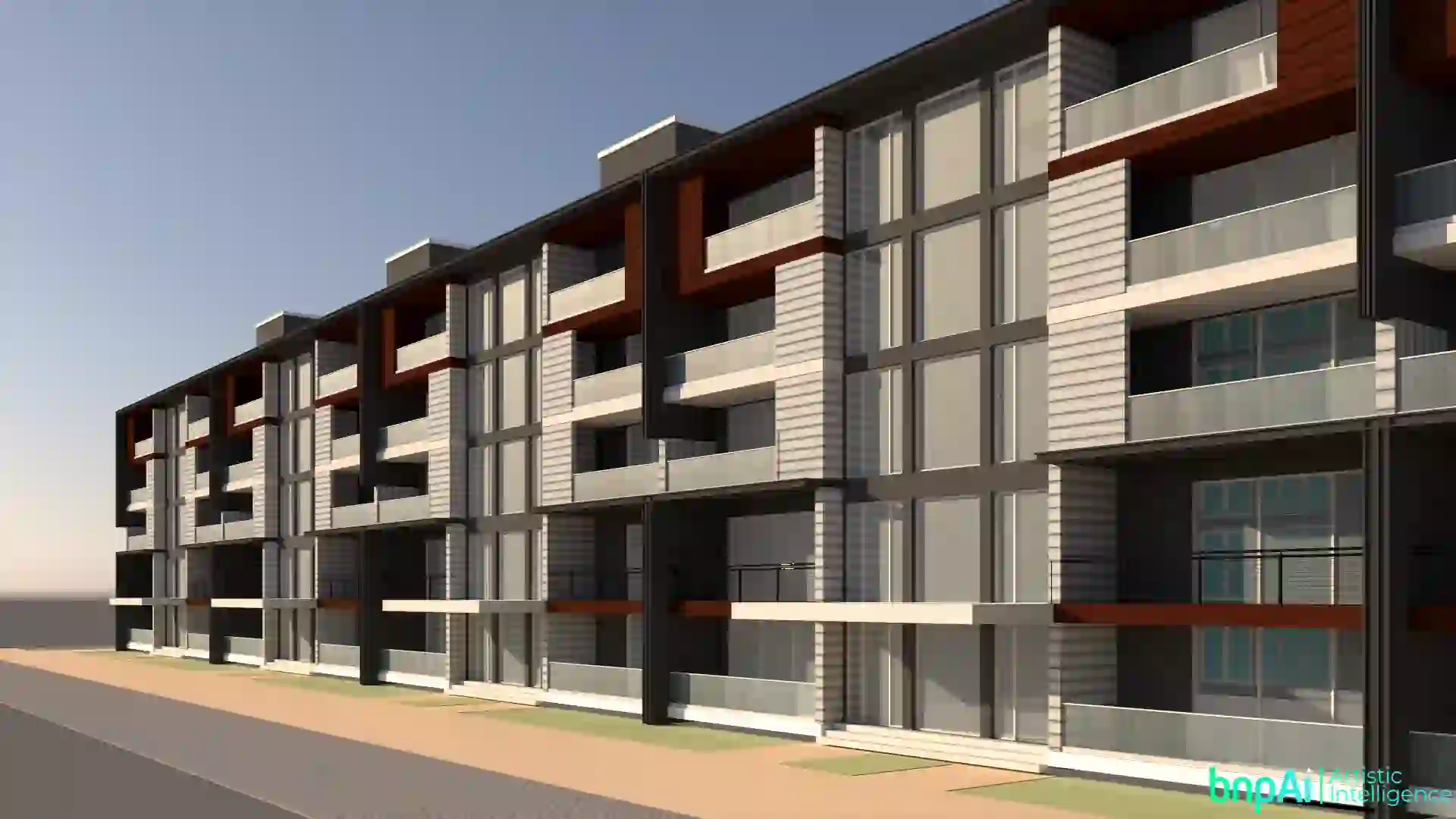
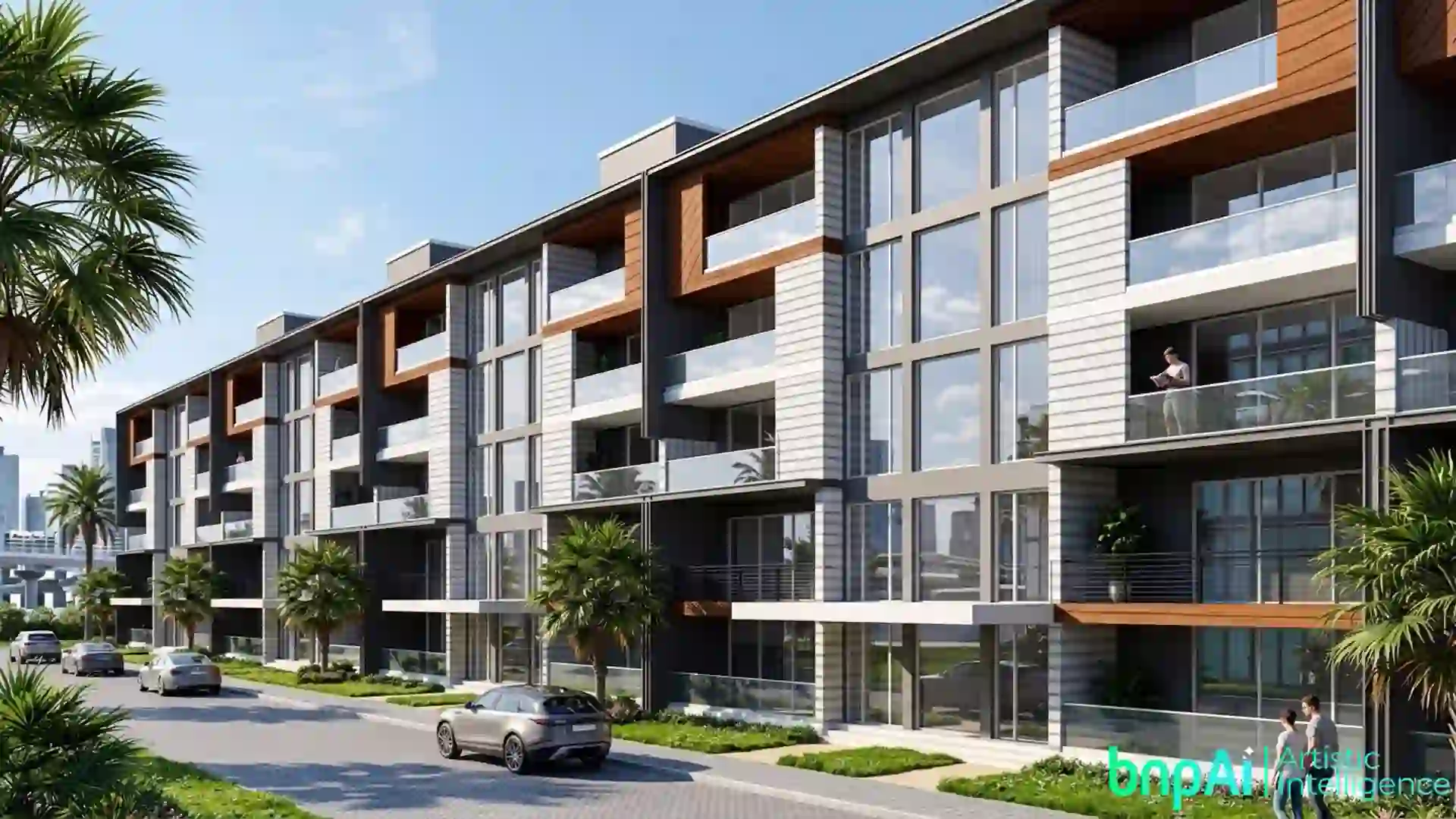
Created by Designer @Sajal Kapoor
AI Exterior Design Generator for Realistic Building & Facade Visualization
Exterior design can be difficult to visualize from drawings, elevations, sketches or basic 3D models alone. An AI Exterior Design Generator helps turn an existing exterior concept into a more realistic visual so you can explore architectural styles, facade materials, colors, landscaping and lighting before moving further into the design process.
Bricks & Pixels helps architects, designers and other built-environment professionals use AI-powered visualization to explore exterior design ideas from existing architectural inputs.
Whether you are working on a home, apartment, hotel, office, villa or commercial building, AI can make exterior concepts easier to review, compare and communicate.

What Is an AI Exterior Design Generator?
An AI exterior design generator uses artificial intelligence to create or transform exterior architectural visuals based on an existing design input.
Depending on the workflow, the starting point may include an elevation, sketch, 3D model view or architectural image.
Instead of creating every visual variation manually, AI can help explore different:
- Architectural styles
- Facade materials
- Exterior colors
- Windows and doors
- Roof finishes
- Landscaping
- Lighting conditions
- Surrounding environments
The result is a visual design concept that can help with early design exploration, client discussions and presentation development.
Design Different Types of Building Exteriors With AI
AI exterior visualization is not limited to residential houses. The same workflow can support different architectural projects and design requirements.
AI Home Exterior DesignExplore modern, minimalist, traditional, luxury or contemporary home exterior design ideas. You can use exterior visualization to compare facade colors, materials, windows, doors, roof treatments and landscaping concepts.AI Apartment Exterior DesignFor apartment and multi-family projects, AI can help visualize building facades, balconies, exterior materials, entrance areas, windows and overall architectural character.AI Hotel Exterior DesignHotel and resort projects often depend heavily on their visual identity. AI can help explore hospitality-inspired facades, entrance concepts, landscaping, lighting and exterior atmosphere. For dedicated hospitality visualization, you can also explore Hotel Rendering AI.AI Office & Commercial Exterior DesignVisualize office buildings, retail properties, commercial complexes and other professional spaces with different facade materials, architectural styles and environmental settings. For broader commercial visualization, see Commercial Rendering AI.AI Exterior Design Online: How Does It Work?
Creating an exterior concept with AI can follow a simple workflow:
Begin with a clear exterior image, elevation, sketch or 3D design view. The more clearly the building form and important facade elements are visible, the easier it is to communicate the original design direction.
Describe the look you want to explore. This could be modern, contemporary, minimalist, luxury, traditional, industrial or another architectural direction.
Experiment with materials such as brick, stone, concrete, wood, glass, metal, plaster or painted finishes. You can also explore different roof, window, door and facade treatments.
Use the generated visual to compare design directions and decide which concept is worth developing further. If your starting point is a building elevation, you can also explore the dedicated Elevation to Render workflow.
What Can You Explore With AI Exterior Design?
A good exterior visualization workflow can help you explore more than just wall colors.
You can test:
- Modern and contemporary facade styles
- Exterior paint combinations
- Brick, stone, wood and concrete finishes
- Roof colors and materials
- Window and door styles
- Balconies and entrance areas
- Exterior lighting
- Landscaping and greenery
- Street and site context
- Daytime and evening visual directions
This makes AI useful when you want to compare several exterior ideas without rebuilding the entire visualization for every variation.
AI Exterior Design for Different Project Stages
Stage 1: Develop the Initial ConceptStart with a sketch, elevation, photo or 3D view and explore different exterior styles, facade ideas, materials and colors.Stage 2: Explore Design OptionsGenerate and compare different combinations of materials, windows, lighting, landscaping and architectural styles.Stage 3: Review With ClientsUse realistic exterior visuals to present the concept and make it easier for clients to understand the proposed design.Stage 4: Refine the DesignBased on feedback, explore alternative finishes, colors, facade treatments or exterior details before moving toward the final design.Stage 5: Present & VisualizeUse the selected exterior concept for presentations, portfolios, proposals or approved project marketing.How to Get Better AI Exterior Design Results
The quality of the output depends partly on the quality and clarity of the source design.
Use a clear image where the facade, roofline, windows and main architectural elements are visible.
Be specific about the design direction. Instead of simply asking for a “modern exterior,” describe useful details such as facade materials, colors, landscaping, lighting and overall atmosphere.
If you already have a basic 3D model, the 3D Base to Render workflow can be useful for developing a more realistic architectural visualization.
Is AI Exterior Design Accurate?
AI-generated exterior visuals are best treated as design and visualization references, not technical construction documents.
Always compare the generated result with the original architectural design. Check important elements such as building proportions, windows, doors, rooflines, facade details and overall geometry.
For technical drawings, structural decisions, building regulations, measurements and construction documentation, professional architectural review is still required.
Who Can Use an AI Exterior Design Generator?
AI exterior visualization can be useful for:
- Architects
- Exterior designers
- Interior designers
- Real estate developers
- Homeowners
- Visualization professionals
- Architecture students
- Property marketing teams
It can support everything from AI home exterior design to apartment, hotel, office and commercial building visualization.
Explore Exterior Design With AI
Turn an architectural idea, elevation or existing design into a realistic exterior visualization and explore different styles, materials, colors, lighting and environmental directions with AI.